original
moi
photo by Megan
body

moi again
(were you beginning to miss my egocentrism?)

Banana eating contest!
(Where have I ended up?!)

original
moi
photo by Megan
body
moi again
(were you beginning to miss my egocentrism?)
Banana eating contest!
(Where have I ended up?!)
Sep 10, 2007
Megan
“Original Sin”


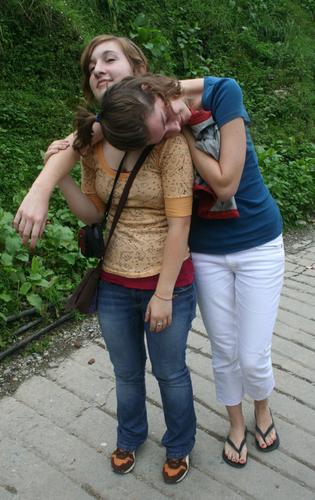
Lean on me.
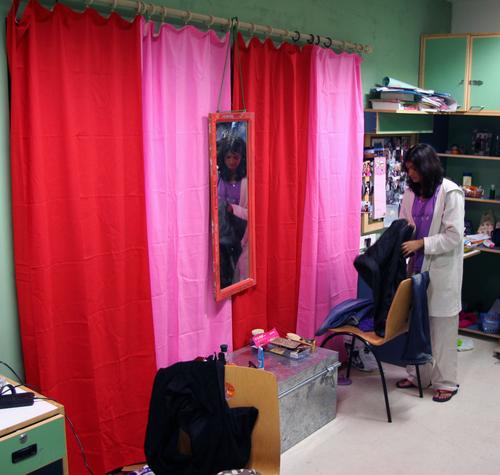
Certain habits, like red and pink, one never loses.
MomComm: A few years ago, Midlands, the girls’ dormitory, was rebuilt from the ground up, though in the same “footprint” it had always occupied, including the bizarre “bell tower” which has never contained a bell. Two floors were made into three, and the open roof of what used to be the senior floor was enclosed to keep out the rain and the monkeys. The thick, old stone and concrete walls gave way to thinner modern materials – no more deep, romantic window seats. And no more view of Witches’ Hill: the trees have grown up so high on that side of the building that you can’t see much out the windows even from the third floor.
The new rooms have color schemes: yellow, pink, green, blue, both on the walls and the plastic-laminated furniture which is attached to the walls and cannot be moved.
It’s new, modern, sparkling clean. And kind of sadly sterile. We liked being able to rearrange our furniture. Senior year, my roommate Lauri and I were considered kinky because we pushed our beds together in the middle of the room. Junior year, Ginny and I shared a small room that was usually a single. We put our dresser-and-wardrobe unit in front of the door so that Dham Singh, seeing it for the first time, remarked: “This looks like a railway ticket office.”
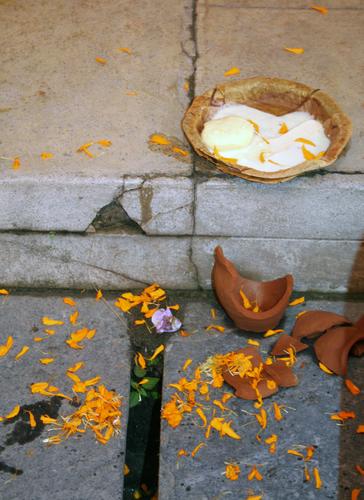

I believe that normality doesn’t exist. “Normal” is what we accept as such.

Contest to see who can drink fastest a disgusting mixture of ketchup, crumbled biscuits, water…

From what is now my class, about 5 kids were expelled last year, for a series of misunderstandings which caused them to beat bloody two younger kids the last night of the last school year.
The new kids, we of the SAGE program, found ourselves in an atmosphere of “mourning,” nostalgia for classmates to whom everyone had had to say goodbye. We went through a strange phase: the old students avoided new acquaintances, perhaps because they had not yet got over the pain of having lost some old ones.
The school, still traumatized by this episode of violence, called in an expert to help, a teacher with I didn’t understand what other kind of qualification. The woman [Barbara Coloroso] has written various books
This completely American decisive approach disgusted me. An idiot who gets up on a stage believing she’s the messiah, repeating the same things over and over. Many students slept, some tried to discuss their own experiences as tormented victims (without success), and others, or better, THE UNDERSIGNED, enjoyed themselves contradicting her and trying to help her realize that she CONTRADICTS HERSELF!
But, look at the plus side, at least our minds were stimulated and everyone, in our own ways, thought about these themes.
But – what am I saying, the school was so fixated on our need to communicate with this blessed woman that homework was abolished for a week! This is certainly a positive side.
The schoolday yesterday ended early to leave time for the intramural cross-country races.
The students are divided into three houses: Merlin (red), Eagle (blue) and Condor (green, the best – that includes me).
We’re divided into groups of 2 or 3 grades and, with our t-shirts in house colors, we run. The motivation to do this comes from the fact that just participating, finishing the course within a certain time, earns 3 points for the house and, if your house wins, you can look forward to a great deal of enthusiasm and a sense of pride and superiority.
So I and my white friends (we call ourselves this, we’re a minority!), both runners and non, tied up our hair, put on our gym shoes, and painted our faces green. I realized I had done something stupid after the first 100 meters, which I did running fast for some absurd reason. A) I have never run [a race] in my life; B) there’s less oxygen at this altitude, half the course was uphill and see point A) again; C) the course was at least two kilometers!
At some point during the race my legs began to refuse to run, and, when I tried to keep going, the sensation that I was about to vomit out my lungs was very strong. I was too embarrassed to let everyone pass me, so I developed a technique of running in the downhill parts and walking fast on the climbs. When I passed the part where there was a group of Condor fans who yelled for any green t-shirt, I ran uphill – fast – biting my tongue the whole time and drying up all the adrenaline my body could produce. I felt the muscles of my calves detach themselves one by one, leaving a wake of flesh behind me. Around the curve, where no one can see me anymore, I start to cough and felt a slight taste of blood in my mouth. I continue to walk and trot, panting. After what seemed like an agonizing eternity: the finish line, small, far away. A girl has caught up with me and is at my side. NO! My little legs stretch as far as they can and, at top speed, my arms bent like a Barbie’s, going back and forth, ever faster. Downhill, finish line, knees hold on!, GO CONDORS! GO ROSS!
Finish line. Photo. Certificate. 23rd. I made the grade. Okay, it was a crappy placing, but I earned points and, considering that I never ran a race in my life, I’m proud of myself.
Dripping sweat and green paint, swaying, I head towards my little man who, while watching my backpack, has let himself be distracted by Pink Floyd on my iPod and forgot to watch me cross the finish line.
“Ah, you’re here! Are you already finished?”
“[…]â€
“WHAT? You placed? Brava!â€
Then he gets me juice and biscuits, he gives me an earpiece of the iPod, and lets me rest my head on his knees, at the risk of green spots on his trousers.
“You know you’ll never see me this calm again, except when I sleep.” [I say.]
*smile* “I know…”
MomComm: Re. the bullying expert, I should point out that Ross has been raised in a culture (Italy) and a family which are both extremely skeptical of Americanate [American stuff] such as self-help books, TV psychologists, etc. And I must say in favor of the Italian school system: bullying is extremely rare. Sadly, it is increasing, but Italian schools seem to be designed to promote social cohesion. Ross has never witnessed even verbal bullying on the scale common in American schools, so she may be underestimating the usefulness of the author’s message in other contexts.
That said, I am not sure myself how much this American author’s experience can be applied to Woodstock. The school has zero tolerance on bullying, a fact which never needed to be stated in earlier years. If this was not an isolated incident, we certainly need to understand what is changing in the school’s student culture and take steps to counteract it. I hope that flying in this expert from the US proves to have been useful.