Category Archives: what I do

Workspaces – “Office” is Where the Laptop Is

I must be the perfect modern employee. In my 20+ years of working life, I have rarely had an office or even a cubicle to call my own, and haven’t particularly wanted or missed one.

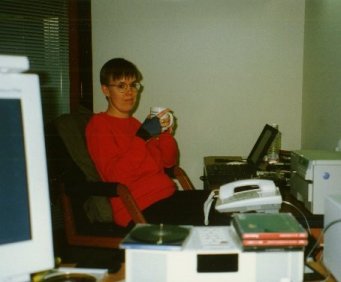
my office at home in Milan

In the three-room apartment that was our home in Milan for 13 years, my workspace (when I wasn’t in a shared office) was a corner of our bedroom. The temporary cubes I was assigned on my visits to Silicon Valley were a comparative luxury!

But, even in cramped conditions, working at home had advantages: if my daughter was sick and had to stay home from school, or if public transport was on strike (as happens frequently in Italy) and I couldn’t get to the office, it just didn’t matter. As long as I had a computer and an Internet connection, I could be productive wherever I was.

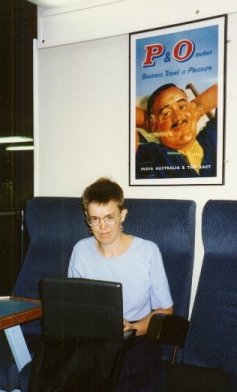
with my laptop on a P&O Ferry

I began travelling extensively for work around 1994, so I always had a laptop (in addition to or instead of a desktop computer), and was accustomed to working anywhere, anytime.

This became a standing family joke: we would stage pictures of me working in unlikely places: on a P&O ferry from Calais to Dover, at the top of a snowy Alp, on a beach recliner in Martinique.

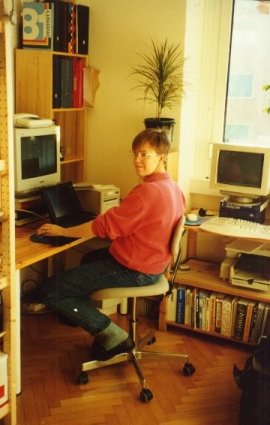
working at my in-laws' home in Roseto

I did not actually work in any of those places – I do know how to take a vacation. But not being tied to a desk meant that I could work, when I chose, anywhere in the world. I didn’t have to take vacation time to be present at the obligatory family holidays halfway across Italy: I could spend time with the family and still get my work done.

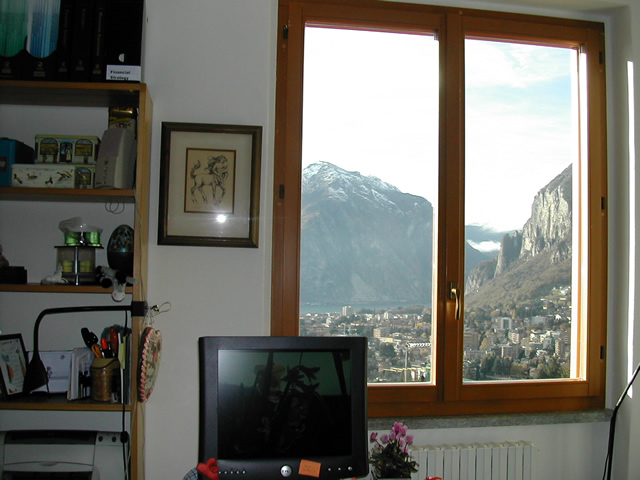
In our new home in Lecco, I have a small home office with a spectacular view – who needs a corporate corner office?

the view from my studio, Lecco

But that’s not enough to keep me in one place. My colleagues at Sun don’t much care where I am physically located (and are scattered all over the world themselves, both in Sun offices and at home), so I can pick up my laptop and go wherever I want to. With my Sun badge, I can waltz into any Sun office in the world and use a desk and high-speed Internet – but I don’t have to.

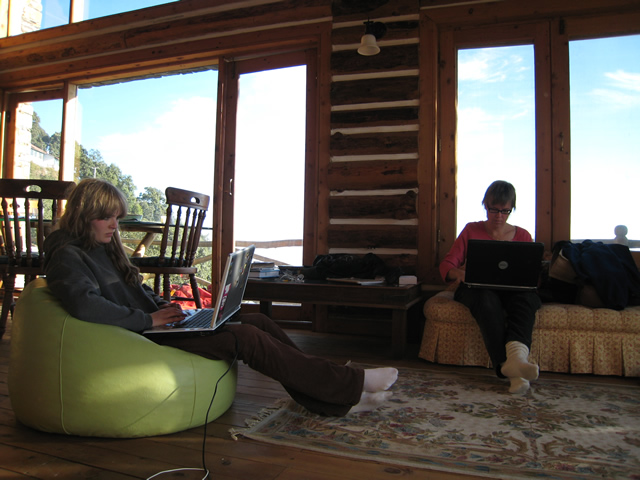
Right now I’m in India, visiting my daughter at my old school. Thanks to the hospitality of a classmate, I’m in a comfortable home with a more-than-decent Internet connection. I can even use Skype to keep in touch with my colleagues. The only thing lacking is a desk, but, hey, I’ve still got a lap.

working from the Bothwell Bank guest house, Mussoorie

And the view ain’t too shabby, either.

How about you? Are you ready to give up a cube or office?

The Evolution of a Technical Writer – Bringing Documentation Into the Web 2.0 Age

How has technical writing evolved in the age of the Internet? How have tech writers’ jobs changed, and how should they continue to change, in response to new technologies now available for sharing knowledge with our customers?

Prologue: The Dead Tree Society

My technical writing career began twenty years ago, with the design and writing of software training courses for desktop publishing. These were delivered as printed sheets in a binder used in face-to-face classroom training.

The first manual I wrote was for an optical-character recognition software. Soon after that, I co-authored a very technical book (Publish Yourself on CD-ROM, Random House, 1993), which included a manual for Easy CD 1.0 (later named by PC World one of the 50 Best Tech Products of All Time).

The book was one of the first in the world to include a CD, for which I produced a screen-readable, hypertext-rich version of the text (the CD also contained a demo version of the software). This early experience demonstrated the power and flexibility of electronic texts, but we still had to deliver them on physical media.

Moving It Online

Between 1992 and 1995, I wrote manuals and software-based help for several versions of Easy CD and other CD recording software. Paper manuals were (and are) expensive to produce, print, and distribute. Even “online” help, when it’s deeply hooked into the software (e.g., context-sensitive help for each dialog box) could not be rev’d any more frequently than the software.

As we entered the Web 1.0 age, customers’ expectations of company responsiveness increased, and these old, familiar processes were no longer fast enough. We needed a way to provide customers with updated and expanded information about our software, on demand (in response to FAQs and newly-discovered bugs as they arose), and at low cost.

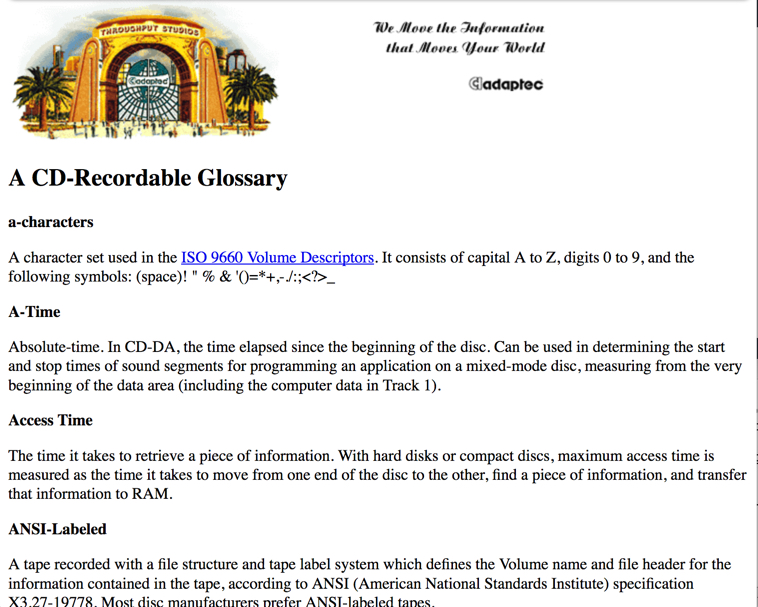
The worldwide web came to the rescue. When the small software company I worked for was bought by Adaptec, I had pages ready to post on Adaptec’s new website. I soon found myself responsible for the busiest (though not the largest) section of the Adaptec site, which eventually brought in up to 70% of overall traffic – clearly, we were providing information that customers wanted.

Usability

Meanwhile, a separate but converging trend in the industry aimed to improve software usability. After years of slaving over manuals, I realized that, for most users, RTFM is a last-ditch solution. At least where consumer software is concerned, most of us just dive in and start using it, and only look to documentation when we can’t figure out something from the UI (user interface). Users increasingly expected that they should NOT need to open a book or help file, except maybe when using advanced features – a reasonable expectation, I think.

I further observed that, when a software process or feature is difficult (as opposed to complex) to document, this usually means that something’s wrong in the software design. I began working closely with the engineers, initially during beta testing, then earlier in the design phase so that I could try to head off UI problems from the start, rather than be told later: “We won’t have time to fix that til the next release.”

And I worked directly on the UI, writing and editing text strings for dialog boxes, etc. This was obviously a job for a tech writer: the clearer the messages onscreen, the less I would have to explain in the manual.

Collaborating with the Community

Around 1993, I had begun to interact daily with customers online, and soon learned to value their knowledge. No QA (quality assurance) or tech writing team can spend as many hours with a product as a large pool of users will collectively spend with it, nor can an internal team hope to duplicate all the diverse situations in which customers will use it. When we tap into what customers know about our products, both sides benefit.

In the mid-90s, I was an active participant on Usenet forums, answering questions where I could, keeping an eye on hot issues, and conveying customers’ knowledge and issues back to the company. (NB: By late ’95/early ’96 I had handed off my manual-writing job.)

In 1996, I launched a moderated, email-based discussion list which fulfilled the same functions, but in a more controlled and congenial atmosphere. The same concept is seen today in discussion forums run by companies on company sites (which may not be moderated or even monitored).

My role as a tech writer in these virtual meeting places was to work with users to find answers to problems, then to “pretty up” and post that information to the website and, in the longer term, write it into the documentation and/or take note of it in future product design.

I did not originate all this new material (that wouldn’t have been humanly possible!), but my deep knowledge of the technology and ability to write about it in layman’s terms made me ideally suited to fit this new “outside” information into the bigger picture – I was now more a knowledge editor and manager than a writer.

Where I did create original material, it was usually in response to customer FAQs and other expressed or observed customer needs. By staying close to customers and interacting with them daily, I kept a finger on the pulse and knew what they needed/wanted, sometimes before they knew themselves. I considered myself a conduit for information between customers and the company, translating from user-speak to engineer-speak (or boss-speak) where necessary.

New Tools

In the six years since I quit my job with Roxio, the technologies available for online communication and collaboration have, of course, moved on. We now have two very powerful new tools: blogs and wikis. How should we use them, and other new tools that will doubtless show up in the future? That’s a topic for another article.

Your thoughts? If you’re a tech writer, how have you seen your role evolving, and what do you anticipate for the future?

40 Years Online: Communicating on the Internet Since 1982

Note: This is a heavily revised version of an article that I originally wrote around 2001, now updated for this year’s “significant” anniversary. 25 years online seems like a milestone worth marking!

I can say without hubris that I have a talent for communicating online. Which shouldn’t be surprising: I’ve been doing it for over 25 years.

Continue reading 40 Years Online: Communicating on the Internet Since 1982 →

Earning from Advertising Online: Thoughts, Experiments, and Conclusions

As a quick glance around any page will show you, I’ve been fiddling with ad placement on my site since I wrote the above. I was inspired by meeting Robin Good at barCamp Roma in January, where he reported that he earns 200,000 euros a year from advertising on his site. He has been remarkably generous with advice to others on “how to be your own boss thanks to your blog”, but the first tip I took from him was more by imitation. If you look at any page on his site, such as this one with video from rItaliaCamp, you’ll see that he has the (reportedly lucrative) “large rectangle” AdSense ad prominently (indeed, obnoxiously) placed right after the article title and before the body of the article, and a smaller ad is placed further down the page. I’ve never liked this aesthetically – I find it confusing to read. But apparently it brings in the revenue.

So I decided to experiment. Given my site’s current design, the closest I could get to Robin’s layout was to put an ad, as he does, between the title area and the body of the article. I chose, for the time being, to be somewhat less obnoxious, using a 468 x 60 pixel box (which usually displays two text ads) and the same background color as the page.

Wow! My AdSense earnings tripled overnight. That gain has not been consistent, but my average daily take has gone up 50% (from $4 to $6) between February and March – and I only made this change in the middle of March. I immediately applied the change throughout the site, as part of a general clean-up and simplification of my DreamWeaver templates and overall site design. We’ll see how things go now in April.

Google’s own AdSense blog offered a case study of a site which moved an AdSense text link box from the upper right corner of the page to a long bar above the title. I followed suit; that, too, has contributed to increased Google earnings, without being visually too intrusive.

I also realized that my earnings from BlogHer are per view rather than per click, so I should maximize the number of pages viewed with BlogHer ads. The quick way to do this was to put the ads into the comments section of my site as well (I also did a makeover on that area, changing the WordPress template to a simpler, non-widgetized layout which loads noticeably faster).

I can’t measure the results of this directly because BlogHer, after an initial warm fuzzy, has become impossible to work with: I lost my login information for the tracking company they are using (24×7 Media) in my infamous January Windows reload. Repeated pleas to various sources there (including a comments form that does not work) have yet to obtain the desired response – I have no way of knowing my stats for BlogHer ads. At least they do keep paying me money – the first couple of months actually more than my AdSense earnings, but February earnings were down significantly. I can only guess that this is because the ad campaigns being run on the site were less remunerative – my traffic is steadily increasing, so the numbers of views can’t be going down.

New Source of Advertising Revenue

Apr 14, 2007

Thanks to a special offer from John Chow, I was able to join a new advertising network called Kontera. If you wander around my site a bit, you’ll see the results: the new double-underlined links are automatically generated by the Kontera code now embedded in my pages. Roll over these links to pop up ads relevant to those keywords and (we hope, as the system gets to know my content) relevant to the entire page.

Now we’ll sit back and see how well this one performs…

next: Kontera out, booking.com in!

When a Spell Checker Won’t Save You

70 million blogs, and thousands more “professional” news sources online, collectively produce billions of words every day. I rejoice that so many people are able to publish their thoughts and seek an audience, at low or no cost – information is good, freely shared information even better.

But I cringe at the abuses I see daily heaped upon the English language. Not “just” by bloggers, but also by journalists and others who should know better, working for news organizations that once upon a time had copy editors on staff.

Why should you care about excruciatingly correct grammar, spelling, and word use?

  • Anything less makes you look sloppy and amateurish, calling into question the reliability of your information. Rightly or wrongly, we are all trained to believe that information presented in polished prose is more authoritative, more likely to be accurate, than SMS-speak.
  • Poor writing is harder to understand than good, distracting the reader from the gist of your argument as she tries to tease out your meaning from a welter of poorly-chosen (or misspelled) words.

The very least you can do, as a courtesy to your readers, is to use a spelling checker – which is so easy that leaving misspelled words in your writing shows contempt for your readers and, indeed, your own work.

However, there are some kinds of mistakes that a spell check won’t catch: such as when a word is spelled correctly, but used in the wrong place. This happens most often with homonyms (words that sound the same but are spelled differently). Here are a few commonly-abused homonyms that you can easily learn to use properly:

affect effect impact

Affect

  • verb: to influence- “This product recall will adversely affect our profits.”
  • noun: an emotional state (mostly used by psychologists): “When I saw
    Mrs. Smith, she was quite depressed and had a flat affect.”

Effect

  • verb: to cause or bring about – “They managed to effect a compromise between the quarrelling parties.”
  • noun: a result – “Please don’t start drilling. That Novocaine has had no effect whatsoever.”

Impact used to be a noun: “The impact of his speech was enormous.”

Impact as a verb: Twenty years ago, the only thing that could be properly said to be impacted was a wisdom tooth or a bowel. Nowadays, everybody uses it as a verb (“That’s going to impact our bottom line”), a usage which has crept into the general language from bureaucratic Pentagon-speak. Ugh.

bated baited

bate means “1 : to reduce the force or intensity of : RESTRAIN <with bated breath>” (Webster’s online)

bait to entice or lure, as in fishing.

If you’re really waiting with “baited breath”, you just keep on waiting – ain’t nobody gonna kiss you!

flair flare

Flair is a noun, meaning a certain talent or ability: “As a child he had a flair for numbers, so he grew up to be an accountant.”

Flare is a verb, meaning to flame up: “Tempers flared on the field after the ref’s disastrous call.”

But it’s also a noun: “The soldiers broke the darkness by sending a flare into the sky.”

horde hoard

Horde, a noun, means a large group: “A horde of locusts descended upon the field.”

Hoard can be a verb, meaning to amass or hold aside something so as to accumulate a lot of it, or a noun – the mass so accumulated: “The dragon slept on his hoard of gold.”

(Confusingly, Genghis Khan’s Golden Horde refers to his army, not to any treasure they may have carried with them.)

its it’s

Any third-grade English teacher worth his or her salary should have taught you this, but it seems to be forgotten by many.

It’s true that ‘s indicates a possessive when tacked onto most nouns: “The boy’s ball was in the dog’s mouth.”

However, it’s is a special case: it’s a contraction for it is, just like he’s = he is, she’s = she is.

To indicate possession by an it, use its: “The dog had the ball in its mouth.”

lay lie

Lay is a transitive verb: you have to do it TO something: “Lay the gun down on the floor and move away slowly.”

It is often confused with lie, an intransitive verb meaning “to be or to stay at rest in a horizontal position“. Therefore, “Do you need to lay down for a nap?” is incorrect.

Don’t be confused by the children’s prayer “Now I lay me down to sleep” – lay is correct here because the child is (somewhat archaically) laying himself (his body) down. (That the child is then called upon to contemplate the possibility of his own death during the night strikes me as not likely to produce sweet dreams!)

lead lead led

NEW! (Because frequent mis-use of these is making me crazy.)

Lead, pronounced LEED, is the present tense verb, as in “to lead the pack.”

Spelled led and pronounced LED, it is the past tense of that same verb: “The old wolf led the pack until she died.”

Spelled lead and pronounced LED, it is a metal, as in “He killed Colonel Mustard with the lead pipe in the studio!”

Therefore, constructions such as “That question has lead a group of researchers to examine…” are WRONG.

peak peek pique

Peak is a noun for the top of a mountain: “Tenzing and Hilary scaled the peak of Everest.”

It can also be a verb, meaning to reach a height (from which you/it/something will then descend): “Brangelina fever peaked when…” – oh, who cares!

Peek can be a verb – to take a quick and/or clandestine look at something. In the UK, it’s synonymous with peep. “The children snuck down the stairs and peeked into the room to see what Santa had brought them.”

It can also be a noun: “Take a peek through this keyhole.”

Pique is most often used as a verb. Derived from the French piquer (to sting, prick, prod), it means to stimulate: “Her curiosity was piqued by the bartender’s odd behavior.”

But you can also have a fit of pique (irritation).

What you cannot do is to have a sneak peak (a sly mountaintop?) or to have your interest peaked (though your interest may peak of its own accord).

pore pour

Both are verbs, both can be used with “over”.

To pore over means to read or study attentively: “She pored over her notes for hours before the exam.”

To pour means to cause to flow in a stream: “He poured maple syrup over his pancakes.”

If your student is pouring over her notes, you’d better make her take a break!
pouringover

above: even the New York Times makes this mistake

prostate prostrate

The prostate is a strategically-placed male gland.

Prostrate is an adjective – (prone, lying on the ground: “They saw his prostrate form on the mountain path.”)) – or verb (to lie down on the ground, usually in front of somebody – “He prostrated himself before the golden idol.”)

Don’t confuse these two. The mental pictures conjured up are just too painful.

[free] reign or rein?

Reign is a noun meaning sovereignty or rulership: “During the reign of King Henry VIII…” Reins are what you attach to the bridle of a horse to steer by. “Free rein” means to give someone liberty to do as he likes. “Free reign” is an oxymoron.

I have not yet seen anyone offering “free rain,” and hope I never do!

tenants tenets

Tenants are the people who rent a place from you. Tenets are beliefs. You probably don’t hold core tenants, unless you need that rent money very badly.

than then

Than is a conjunction “introducing the second element in a comparison” (Webster’s New World Dictionary). “Mumbai is hotter than Miami.”

Then is an adverb, often (but not always) meaning “at that time” or “next in order of time”: ” “We’ll have dinner, then go to a movie.”

NEVER “I’m bigger then you are.”

their there they’re

Their – Possessive pronoun meaning “belonging to them”: “The kids wore their uniforms on the bus on the way to the ball game.”

There – That place: “When they got there, it was raining.”

They’re – Contraction for “they are”: “But now the sun’s out and they’re going to have a great game.”

theirs there’s

Theirs – Possessive pronoun again: “They said that no ball of theirs had ever had stitching like that.”

There’s – Contract for “there is”: “Now there’s going to be an investigation by the Little League.”

wreck havoc

The correct phrase is “wreak havoc”, wreak meaning “to cause,” “havoc” – devastation or disorder. To “wreck havoc” would presumably be a waste of time – havoc is already pretty much wrecked. To reek havoc? Let’s not even go there.

Here endeth the lesson. For today.

Feb 10 – Thanks to Jackson Day for the affect/effect grid and David Bratt-Pfotenhauer for some more pet peeves!