Tag Archives: Sun Microsystems

SxSWi Report: Designing for the Wisdom of Crowds

NB: I have long wanted to attend SxSwi – where the cool geeks go to party – and this year had my first opportunity to do so, thanks to Sun. This conference is great bang for the buck: registration cost only $450, for four days of good, solid talks. I’ve been meaning for some time to write about sessions I attended and what I learned from them, but time keeps getting away from me. Here’s the first in a series. I hope the next will follow in reasonably short order – but I don’t guarantee that!

I attended Derek Powazek’s talk (slides), which was inspired by James Surowiecki‘s book The Wisdom of Crowds.

Why I attended this session: I work with communities, both online and off. And Powazek is a well-known name in web design, which has been part of my career, so this confluence of topics was irresistible to me.

From my notes:

Surowiecki’s premise is that the aggregate wisdom of “the crowd” can be greater than the wisdom of a single individual (no matter how expert).

According to Surowiecki, the elements of wise crowds are:

  • diversity
  • independence
  • decentralization
  • aggregation

Powazek gave suggestions on how to make the wisdom of the crowd work online:

  • give small, simple tasks (e.g., one-click vote on Hot or Not) – This works best when there is a definite outcome, e.g. a Threadless shirt design is chosen. A grass-roots news site gave a list of desired interviewees, participants then conducted the interview(s) of their choice via email
  • try to have a large, diverse group of participants – This is a sticky point. The Internet is inherently a place where it’s easy for people of all kinds to congregate (absent language barriers), but we still clump with people who mostly think like us. It takes effort to create a truly diverse crowd.
  • design for selfishness: participants have to get something out of it for themselves, even just a chance to win. The “greater good” is not sufficient motivation. (But personal glory can be.)
  • aggregate results so that individual behavior (e.g., tagging) leads to collective wisdom

(However, there’s the Heisenberg Problem: scoring creates a game, and therefore an incentive to cheat.)

Popularity does not have to rule. Amazon’s reviews/ratings are displayed with a histogram of results, and readers can rate each review (“was this helpful? yes/no”), giving feedback on the feedback.

Consider both implicit and explicit feedback.

Implicit:

  • page views
  • searches
  • rate of change
  • interestingness

Explicit = voting and rating, but never ask people to do more thinking than they have to, e.g. use a simple yes/no or thumbs up/thumbs down wherever possible.

Note, however, that you get better data when you don’t ask the question.

Design Matters

Kvetch.com -  The mood of responses became happier when the color scheme changed from dark to light.

Red vs. blue – In testing, people shown blue backgrounds responded with more imagination, while red backgrounds led to better attention to detail. This may occur because red is a danger sign, so people are primed to be more cautious when they see red, whereas blue is calming, so they feel freer to be creative.

(Sun’s corporate theme color is blue, Oracle’s is red. Uh oh.)

Filling in the Blanks

For me, this was the payoff from this talk. Powazek described a study on how people’s feelings of not being in control lead them to see patterns (e.g., conspiracies) where none exist.

He has also written about this in Meaning-Making Machines:

This is relevant online because we have much less input than in real-life social situations. Virtual communications like email, blog comments, and instant messages come without the associated social data our brains are used to. In the absence of context, our brains fill in the rest. What we fill it in with is a byproduct of our own insecurities.

My own thoughts on this:

If you’ve spent much time interacting with people online in email, forums, blogs and comments, you know how easy it is misunderstand someone’s character or intentions when you only know them through text.

Misunderstandings can occur because of differences in language, culture and writing skills, as well as the above-mentioned human propensity to fill in our mental gaps with worst-case assumptions. We are especially negative in our assumptions when we don’t feel in control in our own lives – and, these days, who does? The result is flame wars and other online unpleasantness that simply doesn’t happen in real life.

In my first distance-working experience, I also learned that it’s hard for human beings to work with someone they’ve never seen. I suspect that we don’t quite believe someone is real until we’ve seen them face-to-face. In my six years working from Italy for a Silicon Valley company, I noticed that colleagues were poor at responding to me until they’d met me once (I traveled to California four times a year), then their attitude would change radically. It wasn’t that I did anything particular on my visits to inspire cooperation; it was simply that they now could put a face to the emails and the voice on the phone. I guess that’s human.

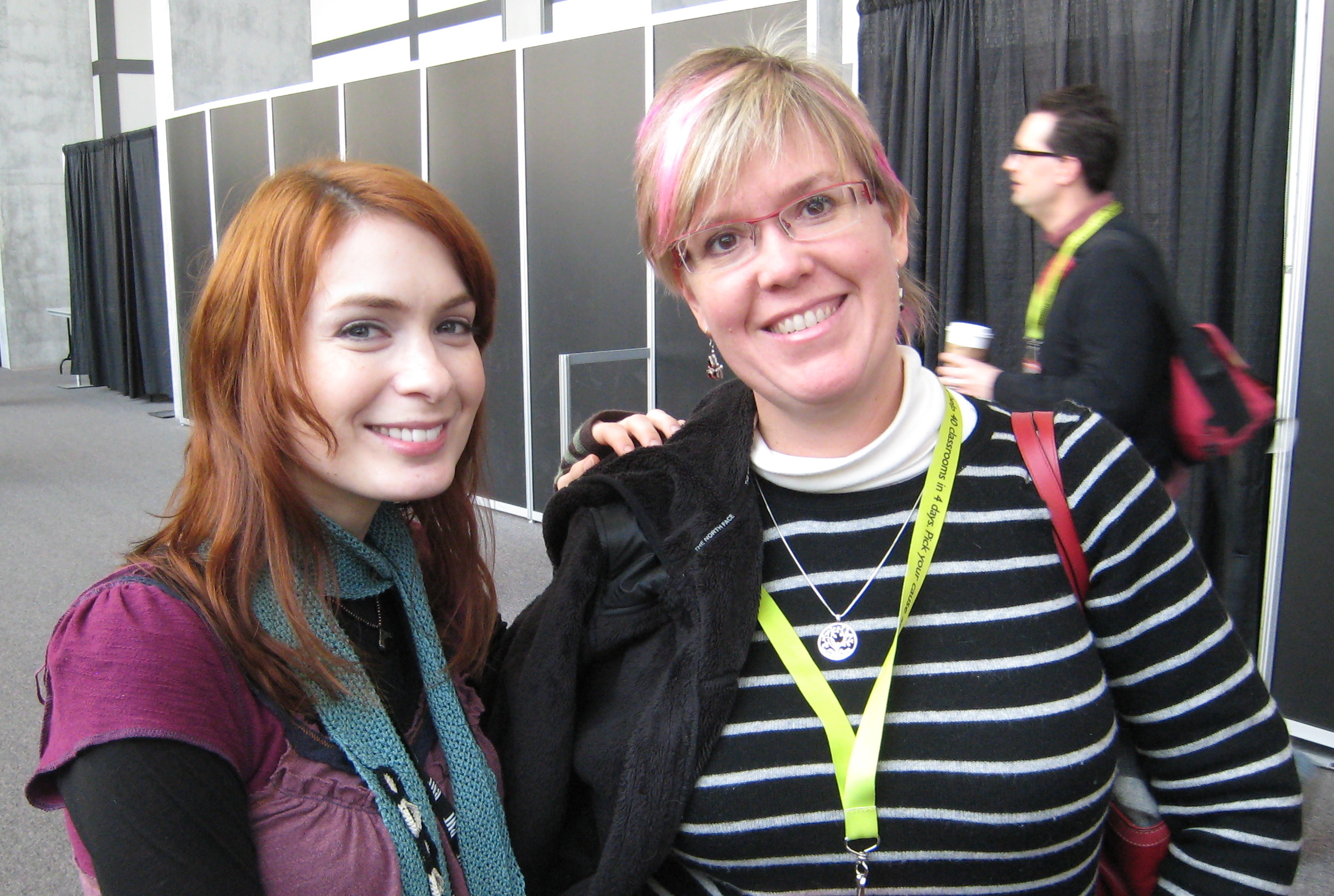
Conversely, we can have warm feelings for people we’ve only seen on screens. I have twice now embarrassed myself meeting actors in unexpected contexts, the first at CES, and, more recently, at SxSWi itself: I was wandering the halls when I saw a familiar face. This wasn’t unexpected at SxSWi; videoblogging buds and other folks I know were there. So my brain registered “someone I know and like,” and I rushed up to greet her with an enthusiastic “Hi!” before my memory kicked in with: “You know her from Buffy and Dr. Horrible.” She was completely unfazed; I’m sure this happens a lot to actors.

All this is why I’ve encouraged the Sun teams I’ve filmed to shoot brief introductions of themselves to share online: if you’ve seen their faces and heard their voices in video, you’re more likely to treat them kindly when responding to their text (e.g. in an online forum). And it’s easier to feel a sense of community, kinship, and cooperation with people you’ve seen and heard, even if only via recorded video.

The next step is to get video from non-Sun members of our developer communities. Working on it!

Returning to Powazek, he concluded his talk with some examples of the above-mentioned principles in action, such as a crowd-curated photography exhibit at the Brooklyn Museum.

Rating: A great and useful talk. I should go read his books.

Video: Shooting Presentations

The formal presentation accompanied by slides and followed by Q&A is standard fare at conferences and other corporate settings. It makes sense to capture these on video whenever possible, so that you can re-use the material and get greater returns on the investment that the presenter (and the company) have made in developing the presentation, traveling to the venue, etc.

So what’s the best way to video these things? I have a few suggestions, based on LOTS of experience.

Lighting

The setting is usually a large room with a podium at the front where the speaker rests a laptop. Slides are projected onto one or two screens to the side(s) of the speaker.

These are terrible filming conditions. At large events the speaker may be spotlighted, but more often you’re stuck with room lighting, and have to fight with people who keep wanting to turn that down so   the slides can be read more easily. Resist this tooth and nail: you have enough lighting problems even with the room lights turned up as high as they will go.

Camera Position

I’ve seen people set up a camera at the back of the room, angled to get both the presenter and the projected slides in the frame, on the assumption that this way they’re capturing everything. WRONG. The slides will be illegible at that distance, and the speaker a blurry silhouette. The resulting video won’t be good for much.

My solution is to position my camera close to the front of the room, preferably on the same side that the screen is on, shooting across the room so that the speaker’s face and upper body are framed and NOT silhouetted against the screen.

The front row is ideal, as long as that’s not so close to the speaker that he/she disappears behind the podium, and also taking into account your need to connect to a good sound source. If you can’t be in the front row, you’ll need to raise the camera up enough to shoot over the heads of the audience in front of you. I usually put my tripod on a table, and use the center column to get more height (note, however, that whenever you put a tripod on a table, you are vulnerable to people jiggling the table; it’s a tossup between that and having them trip over the legs if you put the tripod on the floor).

Give yourself room to pan the camera back and forth in case the speaker paces during the presentation. Sometimes you may think the speaker is “tethered” because the podium is on a dais or stage, but don’t count on it – you’d be surprised how mobile some speakers can be in the face of all kinds of obstacles! (NB: I’m happy for speakers to move around, if that feels natural to them – it makes for more entertaining video.)

Because I zoom in on the speaker, the slides are usually not in the picture at all (unless the speaker walks over in front of the screen and gestures at the slide). As you can see in most of the videos I’ve done for Sun, I edit the slides in afterward as video overlays. To make it easier to find the right place to put each slide, during filming I try to note the timing of slide changes.

…or try to get a corner of the screen in your shot so that you’ll be able to see on the video when the slide changes.

Sound

Try to ensure that questions from the audience will be heard on the video, either by the questioners using a floor mic or the speaker repeating the question. You can’t always enforce this, so be prepared to write down the questions as well and edit them in later as subtitles – otherwise you have video of a speaker nodding wisely in total silence, then rattling off an answer that’s unintelligible without the question.

The results of all this will not be the highest-quality video, but, especially if you take care to get good sound, it will be good enough for web use, and people worldwide who could not attend the presentation in person will be grateful that you made it available.

You can see many, many examples of my video work on my YouTube channel.

Capturing Good Sound for Video

Disclaimers:

  1. I am not a video or audio professional, and am entirely self-taught in this field. What I’m about to tell you is based purely on my experience. Comments, critiques, and amplifications from people who know more than I do are very welcome!
  2. The advice below is based on the equipment I am currently using.

The Importance of Good Sound

For whatever human physiological reason, it seems that, at least for online video, sound quality is more important than video quality.

The first videos I did for Sun had, um, highly variable sound quality. I knew that the built-in mic on a consumer camcorder was not likely to be very good so, at a conference where room sound was being run from a professional sound board, I tried attaching an XLR cable to the videocamera’s microphone jack with an RCA-to-1/8″ mini adapter. This was very unstable and prone to come unplugged, and, even when  it worked, didn’t provide great sound quality. Comments on my earliest videos included complaints about the poor sound.

Sound Equipment

After a few upgrades, I currently have the following:

Beachtek mixer: essentially a miniature sound board that fits between the camera and the tripod. It has an output cable that plugs into the mic jack on a consumer camcorder, while the inputs are two female XLR jacks and one 1/8″ minijack (you can use any two, not all three). You can control input levels independently for each channel via volume control knobs on the back of the unit.

Sennheiser Evolution G2 100 series wireless mics – two lapel mics and one handheld, with wireless transmitters and receivers.

Rode VideoMic – a camera-mounted shotgun mic. Designed for use with consumer-grade camcorders, this gets much better sound than the camera’s built-in mic, and eliminates a lot of background noise. For example, this video of Mike Shapiro and Steve O’Grady was shot on a street in San Francisco with city buses rumbling by and lots of chatter from the bar we were standing outside of. The Rode did a good (if not stellar) job of focusing in on the conversation I was trying to capture, and I think the fact that we were able to do this on the street made for more engaging video than talking heads in a studio would have been.

Filming at Conferences

Most of my filming is of engineers making formal presentations, e.g. at conferences. I am often a last-minute adjunct to the event and don’t have much control over the setup. Because I don’t have a huge professional camera with an enormous zoom lens, I try to get a seat near the front (but not so near that the speaker disappears behind the podium), and I beg the A/V staff on hand to give me an output from their big sound board. (These folks are invariably helpful even when they weren’t expecting me – no one has turned me down yet.)

The best sound solution is to run an XLR cable from the sound board to the Beachtek. I have a bunch of XLR cables, but have given up carrying them around because they’re heavy in my luggage, and the local A/V crew have plenty of cable and (usually) the male-female or whatever adapters we always end up needing (note to self: must buy some adapters, at least).

If the camera is too far away from the sound board to run a cable (some of these conference rooms are HUGE), I use the Sennheiser wireless transmitter and receiver: hook the transmitter into the sound board and the receiver into one of the Beachtek’s inputs (the Sennheiser kits included both XLR and mini-jack cables for the transmitter/receiver – very cool). This also gets good sound quality, but you have to keep an eye on the batteries on both units.

If the presentation I’m filming is likely to generate audience discussion, I put the Rode videomic on top of the camera and aim it at the audience. Even when the room is provided with a floor mic for Q&A, people don’t always use it, nor can the speaker be relied upon to repeat the question, so it’s essential to have a way to capture what the audience says (I have at times been reduced to scribbling down the questions myself and putting them in later as subtitles).

Filming Interviews

I’ve also filmed a bunch of interviews, usually with engineers, such as these examples in Sun’s Grenoble and Eagan offices. At the time I only had one lapel mic, so I had the subjects share the handheld, passing it back and forth between them. The problem with this is that people hold the mic differently, and the sound level you get depends on how close the mic is to the speaker’s mouth. That, plus the fact that people have different natural speaking levels, makes it very hard to get consistent sound (I can’t always react fast enough to twiddle the volume control on the Beachtek appropriately).

I would now be inclined to use two lapel mics, or have one person use the lapel and one the handheld, adjusting the input levels separately to each speaker’s voice before filming begins.

Gotchas

Lapel mics, at least the ones I have, are sensitive to how far the speaker’s mouth is from the mic. The mic is usually attached to the front middle of the speaker’s shirt. When he turns his head sharply sideways to look at his projected slide, the sound gets softer because he’s no longer speaking at the mic. I don’t have a solution for this yet, unless I can train speakers to turn their whole bodies towards the screen instead of just their heads. (There’s probably an audio leveling feature in Final Cut Express that would improve this in post-production, but I’m still learning to use that software…)

My Audio Equipment in Action

Nowadays, my setup often looks like this:

^ front view: XLR cable from sound board hooked into Beachtek adapter; the 1/8″ minijack from the Rode Videomicgoes into the jack at the back of the Beachtek

^ back view. Yes, it does get a little crowded back here. And this doesn’t even show the camera’s power cord attached!

Party Animal

I never planned to be an event planner, but I do have a lifelong history of entertaining in a big way. This was bred into me during my childhood as an expatriate in places like Dhaka, Bangladesh, where (in 1977) there wasn’t a lot for foreigners to do except invite each other to dinner parties, musicales, etc.

So I grew up assuming that getting a bunch of people together and letting them have fun was a normal thing to do, and worth the effort I put into it. I’ve seldom been disappointed in the results. During high school (an international residential school in India), I helped organize dorm open houses. In college, I threw dinner parties to which I invited students and professors, to the surprise of both. For my 21st birthday, with the help of my roommates, I had a big bash at my aunt’s place in the country outside Austin.

Whenever I’ve had space for it (and even when I haven’t), I have entertained. At home in Italy, Enrico and I were famous for our parties with “exotic” food (Indian, American, or barbecue) and live music (provided by Enrico and friends). Now that I’m living in a (shared) big house in suburban Colorado, I have (Italian) dinner and (Indian) movie nights for friends and colleagues.

As a very active alumna of Woodstock School, I’ve also been involved in the planning and execution of alumni events, and have learned a few hard lessons about how not to do this stuff. (Though I fear I will never learn not to over-order on food, but I guess it’s better to have too much than too little…)

The first big event I worked on that wasn’t strictly personal or school-related was vlogEurope 2006, held in Milan and on Lake Como. That was a lot of work, but I met or re-met a bunch of cool videoblogging folks, and enjoyed taking care of everybody and helping them to get more out of a part of the world that I know very well.

Sun Events

All this considered, it’s not surprising that part of the work I now do for Sun is event planning. My job is about community development, and one of the surest ways to make people bond is to get them together and feed them (along with generous libations, for those who partake). I’ve been working with developer communities, but also with others such as Girl Geeks.

Storage Summits

I was part of the team that organized and ran the first Open Storage Summit in September, 2008, which was such a success that we followed it up with another one – with an even larger attendance – in February, 2009.

Student Events

Sun likes to meet students who are our potential future (and current) users, customers, developers, and colleagues. So we’ve been experimenting with new ways to involve them in industry and community events.

The biggest event I’ve worked on so far was for the benefit of ~400 students who came from all over the world to attend SuperComputing ’08 in Austin. We threw a party for them with great food and great music, but also gave them the opportunity to meet with some of Sun’s HPC developers and marketers – in fact, the Sun folks in attendance were kept busy talking with students the entire night. (I kept busy ensuring the steady supply of barbecue, cupcakes, and entertainment.)

We are now planning something similar for SC09 in Portland, and working with the Broader Engagement program to help bring in wide variety of students from around the world.

But, before that, there’s ISC09 in Hamburg, where we’re planning a Sun HPC workshop to kick off a coding competition, and, of course, a party. Suggestions are welcome on what kind of party and venue the students (probably mostly German) would enjoy.

And, even before that, there’s CommunityOne West in San Francisco, June 1-3. Watch this space for announcements!

The First Colorado Front Range Girl Geeks Dinner: Jai Ho!

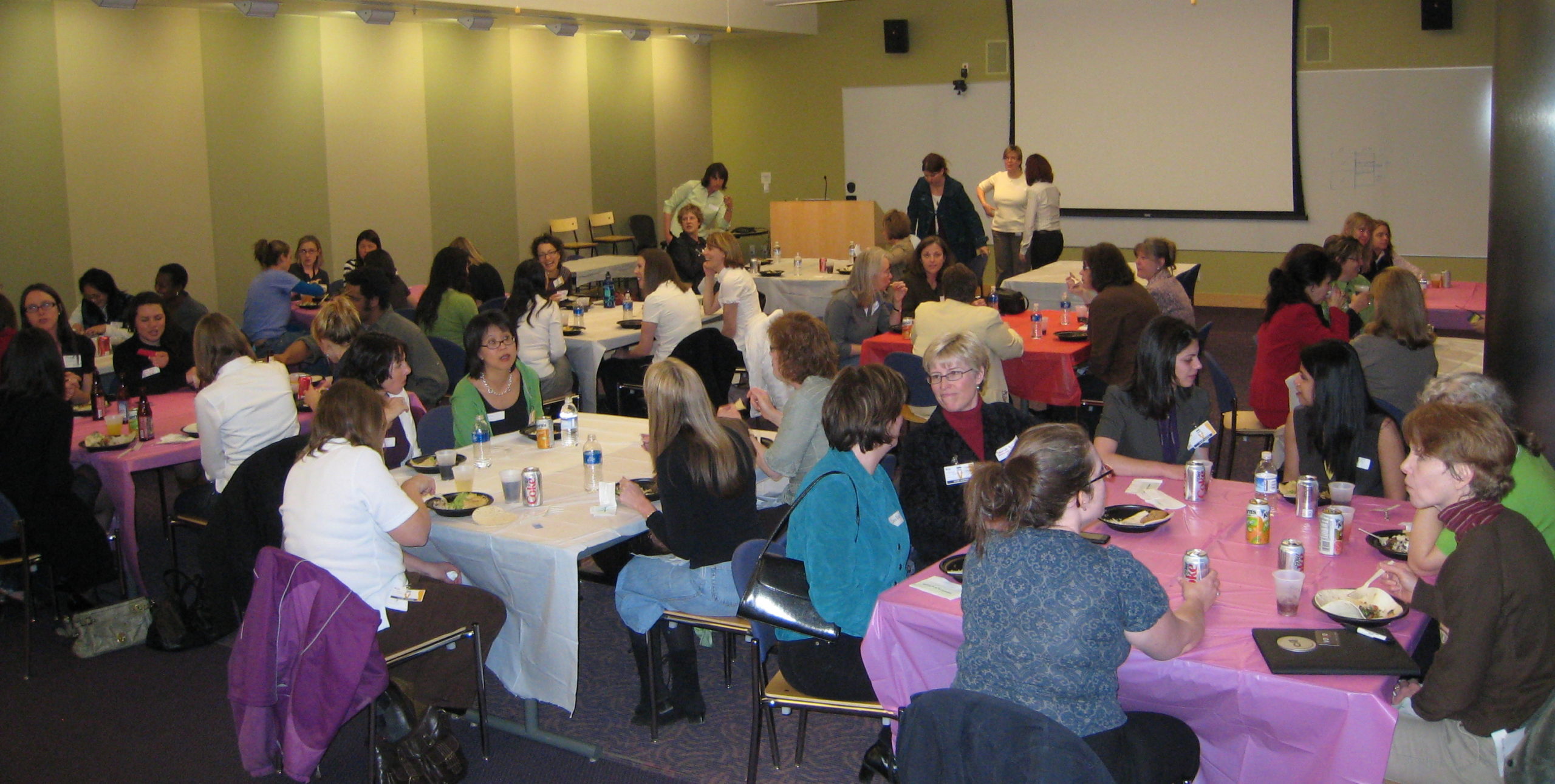
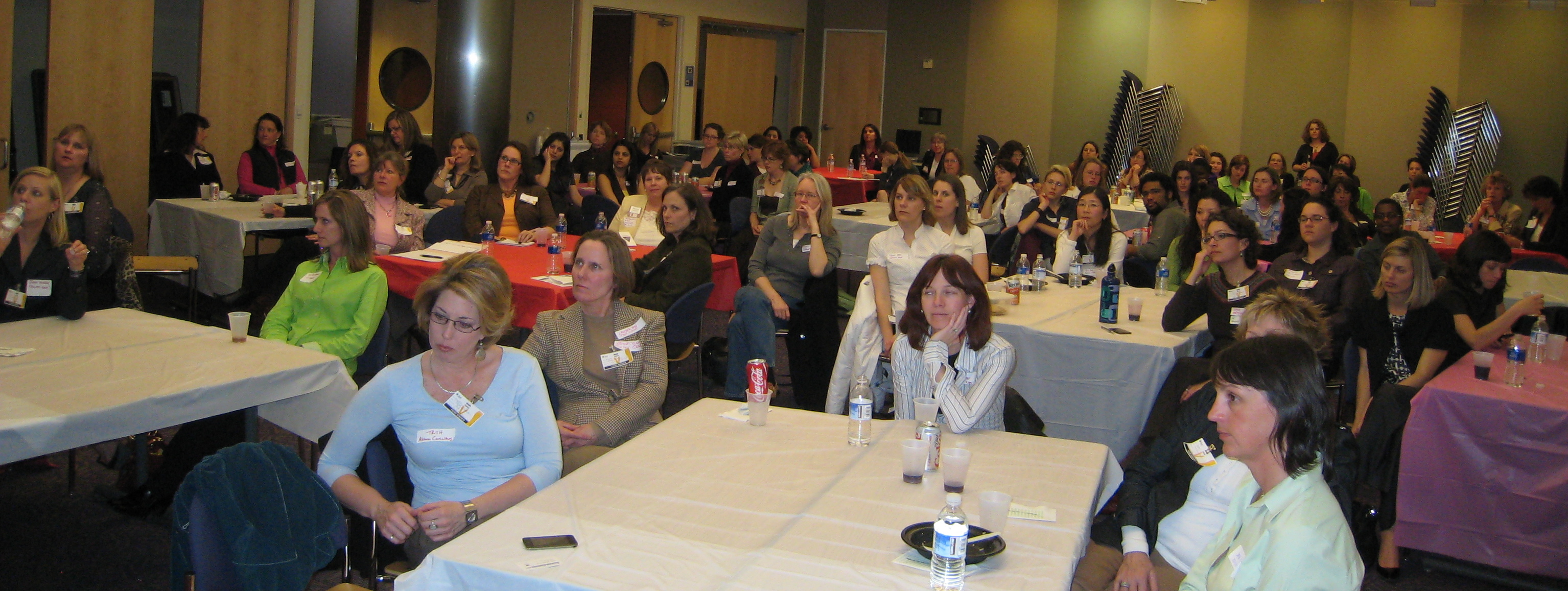
The first Colorado Front Range Girl Geek Dinner was held on Thursday, March 5th, on Sun’s Broomfield campus. More than 80 people attended, only one of whom was (a very brave) male.

Sun sponsored this first one with food, drink, and venue. There was plenty of interest from other individuals and businesses in helping with the next (contact me to be put in touch with the now-being-formed committee). Thanks to the many who helped spread the news (including Jeremy Tanner, who helped get the word out to startups and other smaller businesses). We had at least 80 attendees (probably more – I don’t think we caught quite everybody at the registration desk), and were in touch with several dozen more who couldn’t attend on this particular date but definitely want to participate.

With this kind of momentum, I think the next CO FR GGD can take place in about two months (but I’ll be leaving it up to others to organize that one as I expect to travel heavily from now through July).

The atmosphere in the room was electric and inspiring, and I hope was encouraging for those who had recently lost their jobs (or fear they might soon). Women helping women can be a powerful resource in the workplace, and that’s what Girl Geek Dinners are about.

Colorado GGD

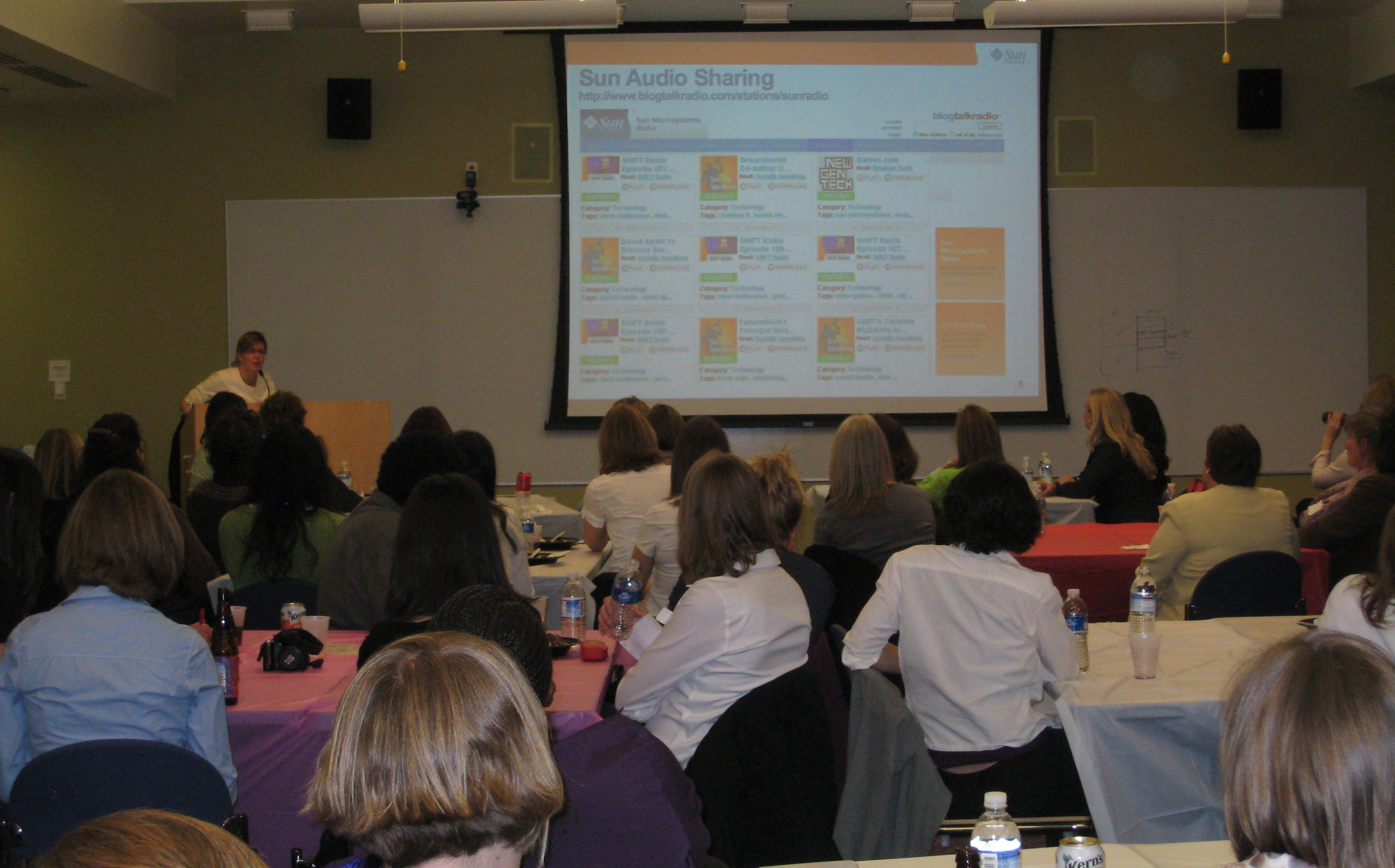
^ listening to Linda, the “voice from on high”

Linda Skrocki put together a presentation which I ended up delivering (with her participating by phone) because she was home with a flu and didn’t want to infect the rest of us.

Our aim was to showcase Sun’s many activities in social media, in order to illustrate how other companies and individuals can use social media to enhance their own brands, win friends and clients, and influence people. Social media is important in just about any job these days, so I hope the information was useful to other women wanting to add to their work skills.


I noted a lot of interest in the room at the idea of managing one’s personal brand and identity online; that might be a topic for a future talk. One attendee wanted to talk more with us about Sun’s “radical transparency” in relation to a project she’s working on. And it seems that people want to hear more about videoblogging, which of course I’m happy to discuss anytime.

Colorado GGD

My only (personal) disappointment was that I was so busy running the show, I had very little time to talk with anybody – and there was a roomful of fascinating women I’d love to know more about. I look forward to making up for that next time!

Thanks to Kristin Tulp of Level3, we had TV coverage, with a segment by Jodi Brooks of CBS4 news (Denver) on Friday night. As part of a series on “Beating the Recession,” the piece talked about how we “Geek Girls” are rallying together to help ourselves and each other in a hard job market. I don’t know whether the segment will be posted on their site. Perhaps if enough of us ask them…? Here’s the transcript: ‘Geek Girls’ Gather In Broomfield For Networking

other coverage:

In case you’re wondering about the title: Jai Ho is the Oscar-winning song from the end titles of  Slumdog Millionaire. The song’s composer, A.R. Rahman, says that Jai Ho translates as “May victory be yours.” Which seems to me a fitting benediction for my fellow girl geeks.